

Why handle terminology?
Unclear communication and misunderstandings across an organization is often caused by lack of approved terminology.
It is common that the same term is used for different concepts in different parts of an organization, and often a single concept requires different terms for different target groups.
Better communication
Without the right tool it is often too time consuming for the individual to check old documents etc. to get the terms right. So it is common to accept a lesser degree of clarity in written documents.
However, experience shows that having easy access to a good terminology base results in better communication due to improved text quality.
Finding the right terms is quick and easy with i-Term for any employee in an organization, no matter the location in the world.
Manage your knowledge
The knowledge in an organization is always communicated though the use of terminology. Therefore, by using the right way to handle terminology you are able to describe the organization's knowledge at the same time.
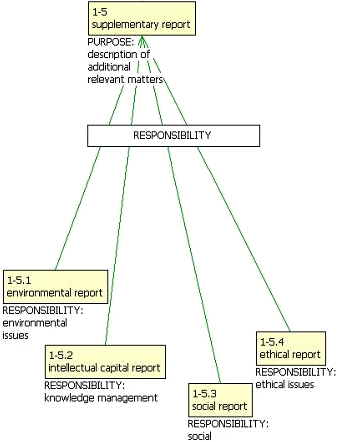
By describing your concepts and organizing the relationship between them - that is, building the ontology - you can visually navigate though both the terminology and your knowledge. This is complicated to do manually, but quite simple by using the ontology features in i‑Model.
Generate savings
It pays off to take control of the terminology. Many organizations are blind to the opportunities of generating savings via terminology management, and only have eyes for the immediate costs.
However, by using i-Term to get easy and secure access to specific terminology, the organizations can reap the benefits.
A simple calculation
Using correct terminology saves time for both authors and recipients, not forgetting the costs of misunderstandings.
Say, that you expect 10,000 look-ups, of which 7,000 provide the user with a hit. The calculated savings could be as high as 245,000 EURO.
That is, 7,000 (successful look-ups) x 0.5 (hours saved) x 70 EURO (hourly rate) = 245,000 EURO.
So having a hitrate of 70 % in your terminology base could generate savings for the organization of up to a quarter of a million EURO.
According to the report ”The economic value of terminology – an exploratory study” by Canadian Guy Champagne Inc. – and calculations by large corporations such as Danish KMD and Swedish Scania there are cost reductions to be achieved by using correct and consistent terminology. This is also the belief of the Danish tax agency SKAT, where the use of terminology across the organization has been examined.
The report sought to determine the role of terminology in the writing-translation-revision process and found that 15 % to 30 % of the time is spent on terminology. Terminology work can increase productivity (by about 20 %) as valuable time is saved in both translation and revision.
Furthermore, the study validated that terminology has an impact within a broader corporate management framework, in reducing operational, legal and business risks, improving service to the clientele and developing business activities. Also, it is stated that managers of the terminology function estimate that it offers a 10 % return on investment.
The report also concludes that terminology offers a competitive edge that should not be overlooked and that terminology banks are an investment with enormous multiplier effects.
These conclusions are supported by Kara Warburton, Chair of ISO TC37, terminologist, linguist and translator. She states that terminology work makes up for 40 % of text production and that between 30 and 70 % of errors in technical documentations are due to terminological error. Warburton quotes Danish Lisbeth Kjeldgaard Almsten (Crisplant A/S), who has stated that translations can be more than 50 % more expensive if the terminology is inconsistent.
Warburton states that it costs 10 times more to fix a term at the end of the production cycle than at the beginning (Xerox, JDEdwards), and that inconsistent or inaccurate terminology raises service costs which Scania also confirms.

According to the experts…
According to the report ”The economic value of terminology – an exploratory study” by Canadian Guy Champagne Inc. – and calculations by large corporations such as Danish KMD and Swedish Scania there are cost reductions to be achieved by using correct and consistent terminology. This is also the belief of the Danish tax agency SKAT, where the use of terminology across the organization has been examined.
The report sought to determine the role of terminology in the writing-translation-revision process and found that 15 % to 30 % of the time is spent on terminology. Terminology work can increase productivity (by about 20 %) as valuable time is saved in both translation and revision.
Furthermore, the study validated that terminology has an impact within a broader corporate management framework, in reducing operational, legal and business risks, improving service to the clientele and developing business activities. Also, it is stated that managers of the terminology function estimate that it offers a 10 % return on investment.
The report also concludes that terminology offers a competitive edge that should not be overlooked and that terminology banks are an investment with enormous multiplier effects.
These conclusions are supported by Kara Warburton, Chair of ISO TC37, terminologist, linguist and translator. She states that terminology work makes up for 40 % of text production and that between 30 and 70 % of errors in technical documentations are due to terminological error. Warburton quotes Danish Lisbeth Kjeldgaard Almsten (Crisplant A/S), who have stated that translations can be more that 50 % more expensive if the terminology is inconsistent.
Warburton states that it costs 10 times more to fix a term at the end of the production cycle than at the beginning (Xerox, JDEdwards) and that inconsistent or inaccurate terminology raises service costs which Scania also confirms.